Skills
Save a business rule so Jarvis can follow it the same way next time.
In one sentence
A Skill is a saved instruction for a judgment your team should not have to explain again and again.
Use it when
Use a Skill for a rule, checklist, tone, or decision guide. Examples include:
- How to check a supplier bill before preparing an entry.
- The wording and escalation path for overdue payment reminders.
- Which cost centre to use for a recurring expense.
- What must be checked before a customer credit note is prepared.
Use a Macro instead when you need several steps to run in order.
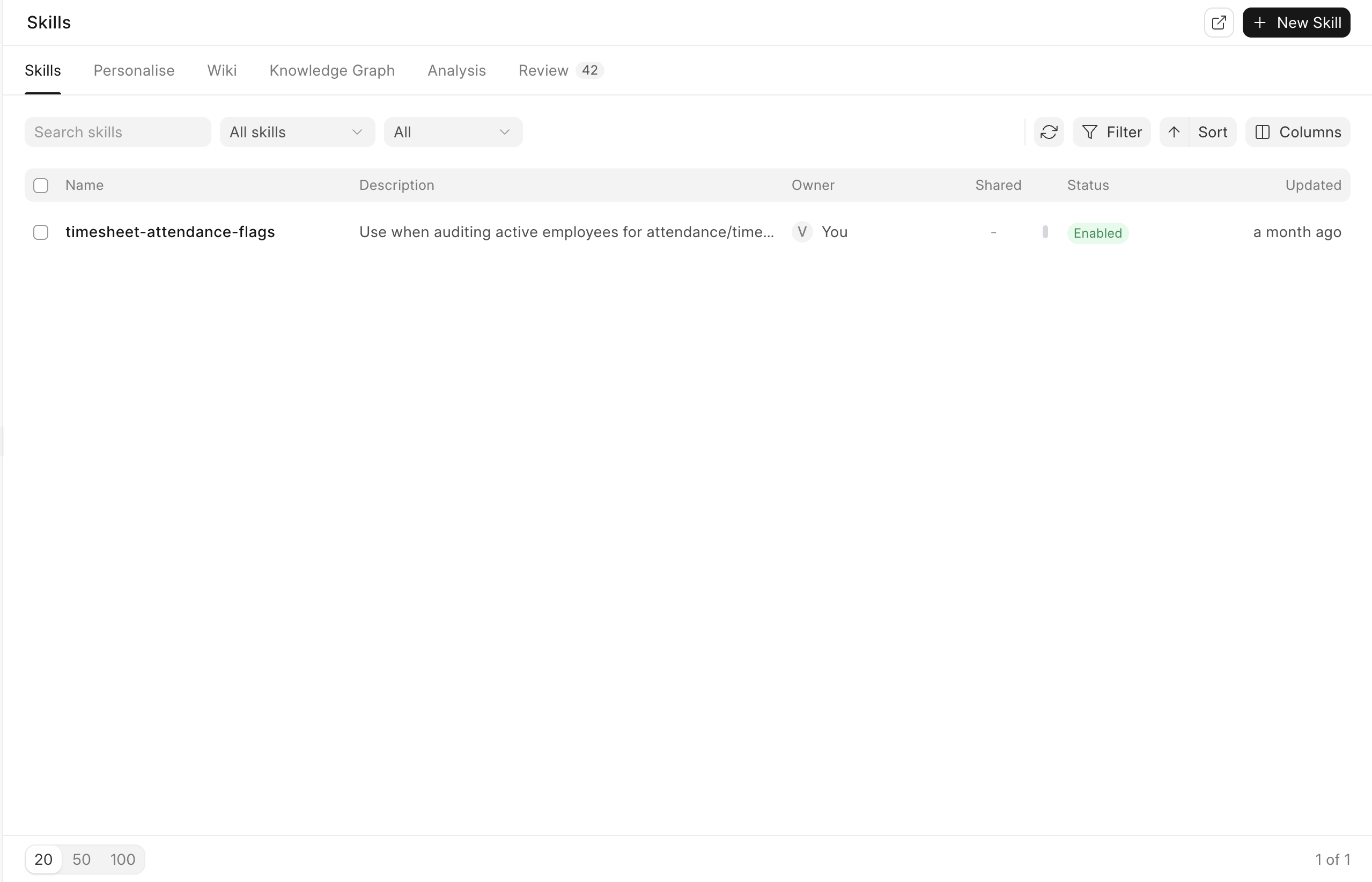
Create a useful Skill
- Open Skills and choose New Skill.
- Give it a short action name. This becomes the
/nameyou can use in Chat. - Write the instruction in plain, testable terms.
- Turn it on and choose whether people may call it from Chat.
- Choose whether it stays personal or should be shared.
- Save it, then test it on one real example.
Write the rule clearly
Weak: “Handle overdue customers properly.”
Useful: “For invoices 1 to 15 days late, be warm and include the invoice number and due date. From day 16, ask for a payment date. From day 30, draft an escalation to the account owner. Never threaten service suspension.”
The useful version names the situation, the action, and the limit.
Use it in work
Type / in Chat and choose the Skill. You can also attach a Skill to a step inside a Macro.
Share or promote a Skill
Share a personal Skill with named people when they need to read and use the same instruction. Shared access is read-only, so one person’s edit cannot silently change another person’s rule.
Request promotion when a Skill should belong to a role or the whole company. A reviewer can accept, narrow, or reject that wider scope. Promotion keeps the reviewed version in sync instead of creating several unrelated copies.
Keep it healthy
Disable a Skill that is no longer correct. Update it when the business rule changes. Do not create two Skills with almost the same job, because users will not know which one to trust.
Test a Skill with an ordinary case and an exception. A rule that works only for the easy case is not ready to share.