Business Notes
Tell Jarvis the facts and exceptions that make your business different.
In one sentence
Business Notes is where you teach Jarvis the context that is not obvious from a record.
Where to find it
Open Skills, then Personalise. You will see Questions and Notes when this feature is available for your account.
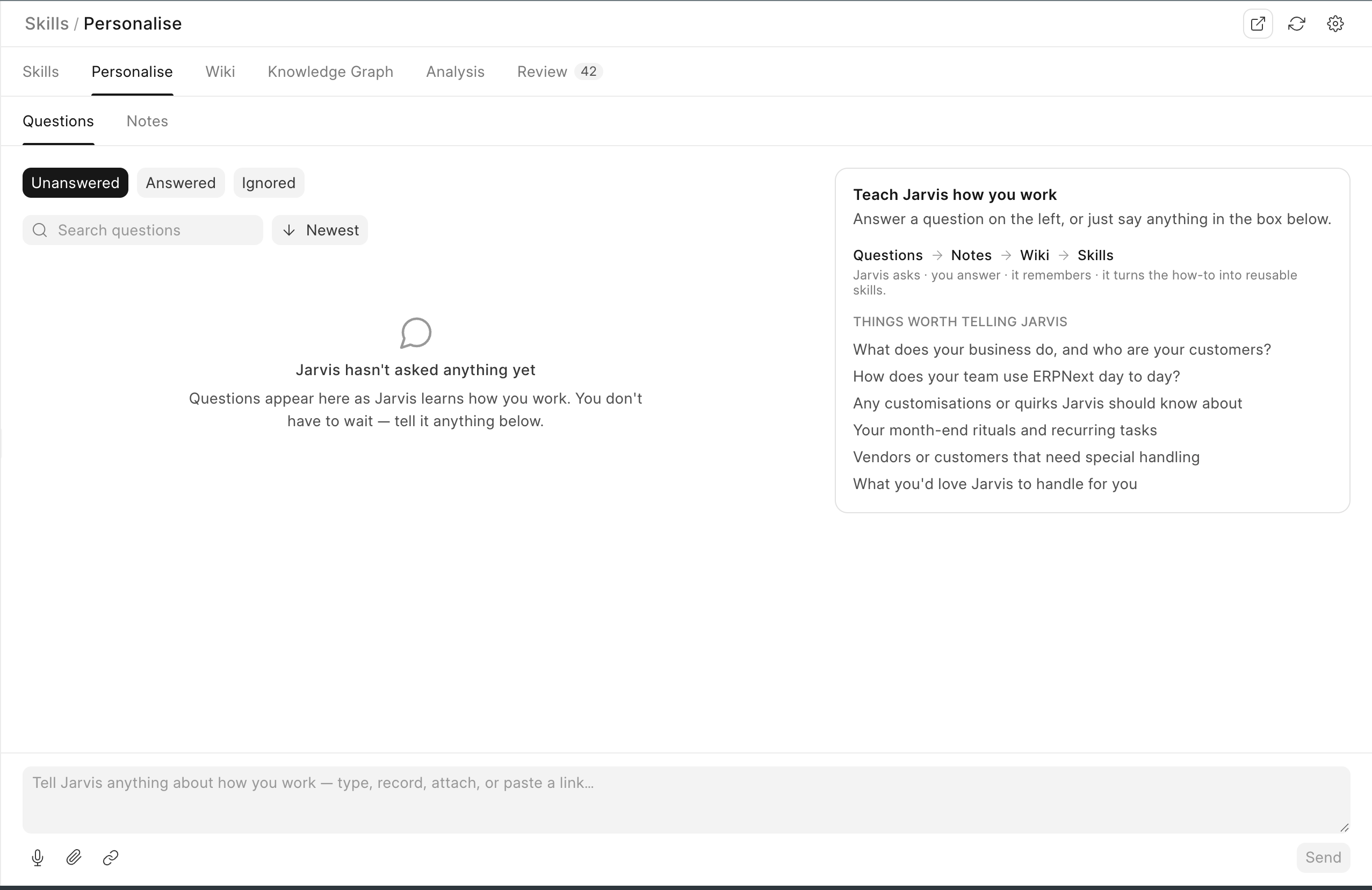
Answer a question
Jarvis may notice a pattern and ask something simple, such as:
We pay Sharma Traders near the end of every month. Is this a regular supplier, and what terms have you agreed?
Answer only what you know. A useful answer is: “Regular packaging supplier. Net 30, but call Priya before holding an order.”
You can ignore a question that is not useful, delete your response, or answer it again when the earlier answer needs correction. Re-answering adds new evidence so the history remains understandable.
Add a note without waiting
Use the note box to:
- Type a fact or rule.
- Record a voice note and check the text.
- Attach a supporting file.
- Paste a useful link.
Your draft stays available if you leave and return. Press Cmd+Enter when you are ready to send a typed note.
What happens to the note
The note stays in your history and can become knowledge in the Wiki. The source travels with the fact, so someone can see who said it and when.
Answering the same question again adds new evidence. It does not silently erase the earlier answer. If the facts disagree, review the Wiki page and keep the current version clear.
Personal and shared knowledge
Some notes belong only to you. Some can become role or company knowledge after the right review. Do not put a private employee matter into a shared business note.
Administrators can control which questions are asked at company, role, or user level and limit how many are raised each day. A question should help real work; it should not become a survey people must constantly dismiss.
Record exceptions, not obvious descriptions. “Sharma Traders is a supplier” adds little. “Call Priya before holding an order” can change a real outcome.