Plans and usage
Understand the current plan, use, renewal state, and the effect of a plan change.
In one sentence
Plans and usage show what the workspace is entitled to, how much it uses, and what a subscription change will do.
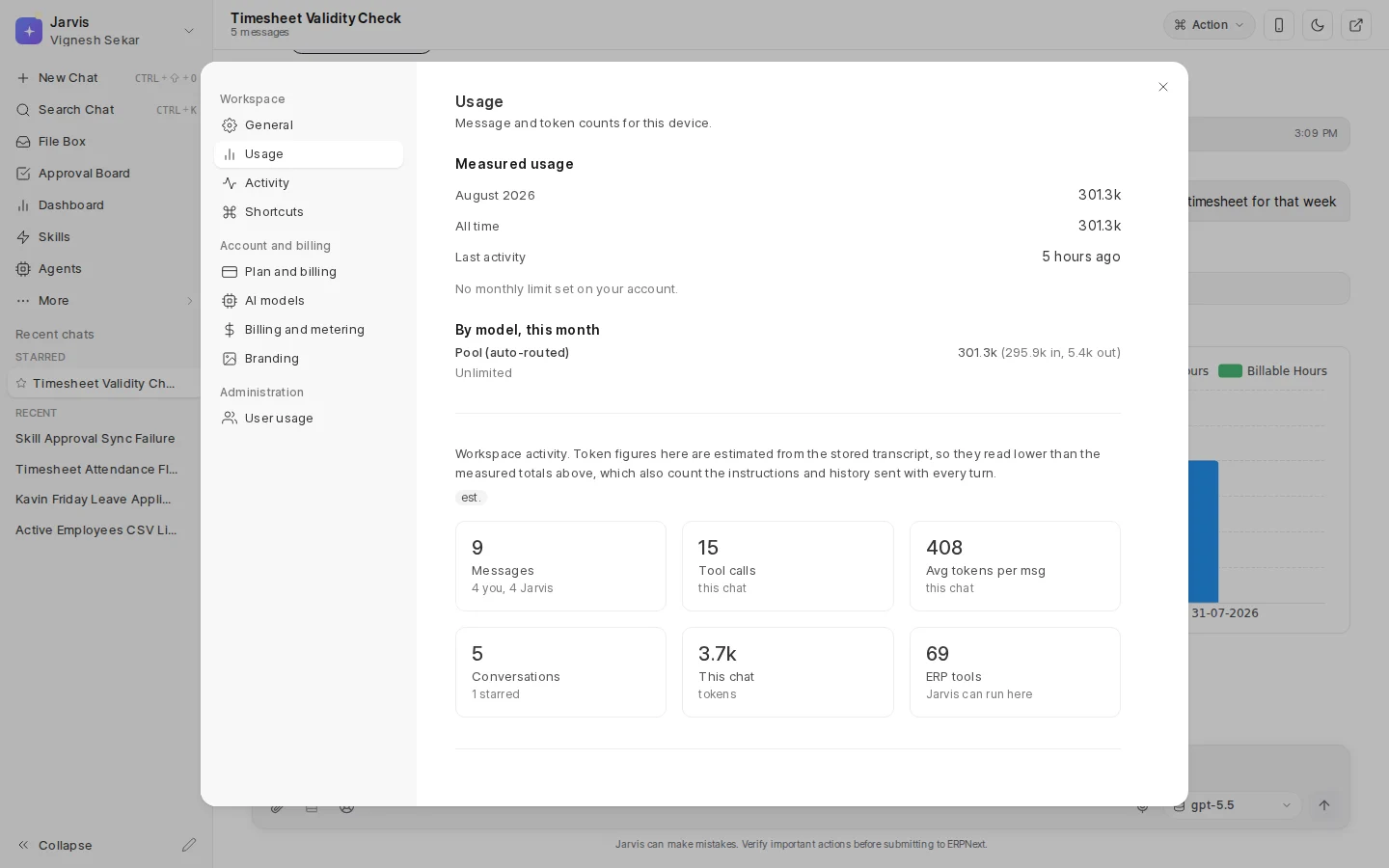
See your own use
Open Settings > Usage for your measured or estimated use, model-by-model detail, and any budget shown for your user. The exact measures and limits depend on the account. Token counts shown under General are estimates from message text and are not the same as an invoice.
See the account
An administrator can open Settings > Plan and billing for a summary, then Manage plan and billing for the full page.
The page shows:
- Current plan and subscription status.
- Current price and billing cycle.
- Renewal or access end date.
- Whether automatic renewal is on.
- Available larger or smaller plans.
The live page is the source for current plan names, features, prices, and trial terms.
Change a plan
Upgrades take effect immediately and show the amount due before payment. A switch to a smaller plan takes effect at the next billing cycle, so the current plan remains until then.
If cancellation is scheduled, the page shows when access ends and whether it can be resumed. A scheduled move to a smaller plan can be undone before it takes effect. If automatic renewal was released, payment may need to be set up again. Use the live Resume, Renew, or automatic-renewal action offered for the current state instead of assuming an old path still applies.
Review company use
Administrators may see User usage and Billing and metering. Use them to understand adoption, pool use, and unusual cost, not to judge someone from one number. Activity, role, and the type of work matter.
Before changing the plan, check both limits and real work: how many people use Jarvis, which repeated jobs depend on it, and what would stop on a smaller plan.