Settings
Control chat behaviour, attention, shortcuts, branding, and administrator-only workspace choices.
In one sentence
Settings holds the choices that change how Jarvis behaves for you or for the workspace.
Open Settings
Open the user menu, then Settings. Everyone can see the personal workspace sections. Account and administration sections appear only for users with the required role.
The same user menu can open Support when it is available, switch back to Desk, change the light or dark theme, and log out. Switch to Desk returns to the wider Frappe workspace; it does not end the Jarvis session.
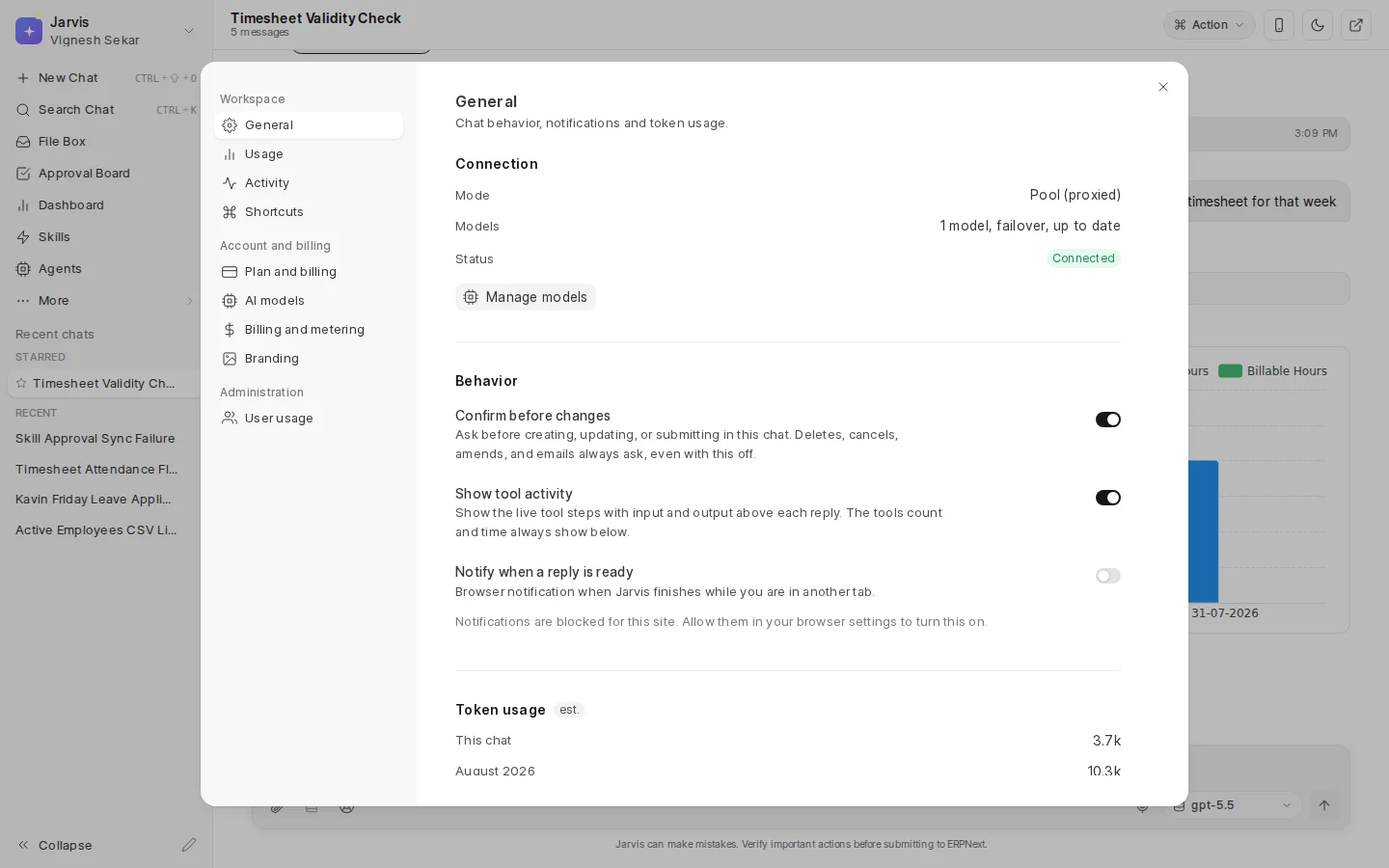
General
Use General to check connection health and control Chat behaviour.
- Confirm before changes is set for the current conversation. It is available only when a chat is open. Important actions still ask even if this is off.
- Show tool activity shows the live steps Jarvis took above a reply.
- Notify when a reply is ready uses browser notifications when you leave the tab.
- Model and effort choices control the current conversation when those controls are offered.
- Jarvis or Jara changes voice and tone, not permissions or factual access.
- Token counts give an estimate for the current chat, month, and all time.
This section also lets you delete all chat history. That is permanent. Macros and Skills remain. Administrators may also see a workspace reset. Read every wipe option before using it.
Usage and activity
Usage shows your consumption and limits when they apply. Activity shows notable work in the workspace. Use them together when a plan limit or unexpected burst needs explanation.
Shortcuts
Shortcuts lists the keyboard controls available in the app. Start with search, new chat, and sidebar collapse.
Administrator sections
Depending on your role, you may also see:
- Plan and billing for subscription status and plan actions.
- AI models for connected services and fallback order.
- Billing and metering for connection and usage details.
- Branding for the name and appearance shown to users.
- User usage for an administrator view across users.
Change one behaviour at a time, then test it in a fresh task. Several setting changes at once make a problem difficult to trace.
Where to go next
Read Safety and approvals, Notifications, or Plans and usage.