Conversations
Keep business work named, findable, and easy to continue without mixing unrelated decisions.
In one sentence
A conversation keeps the question, evidence, replies, and prepared work for one outcome together.
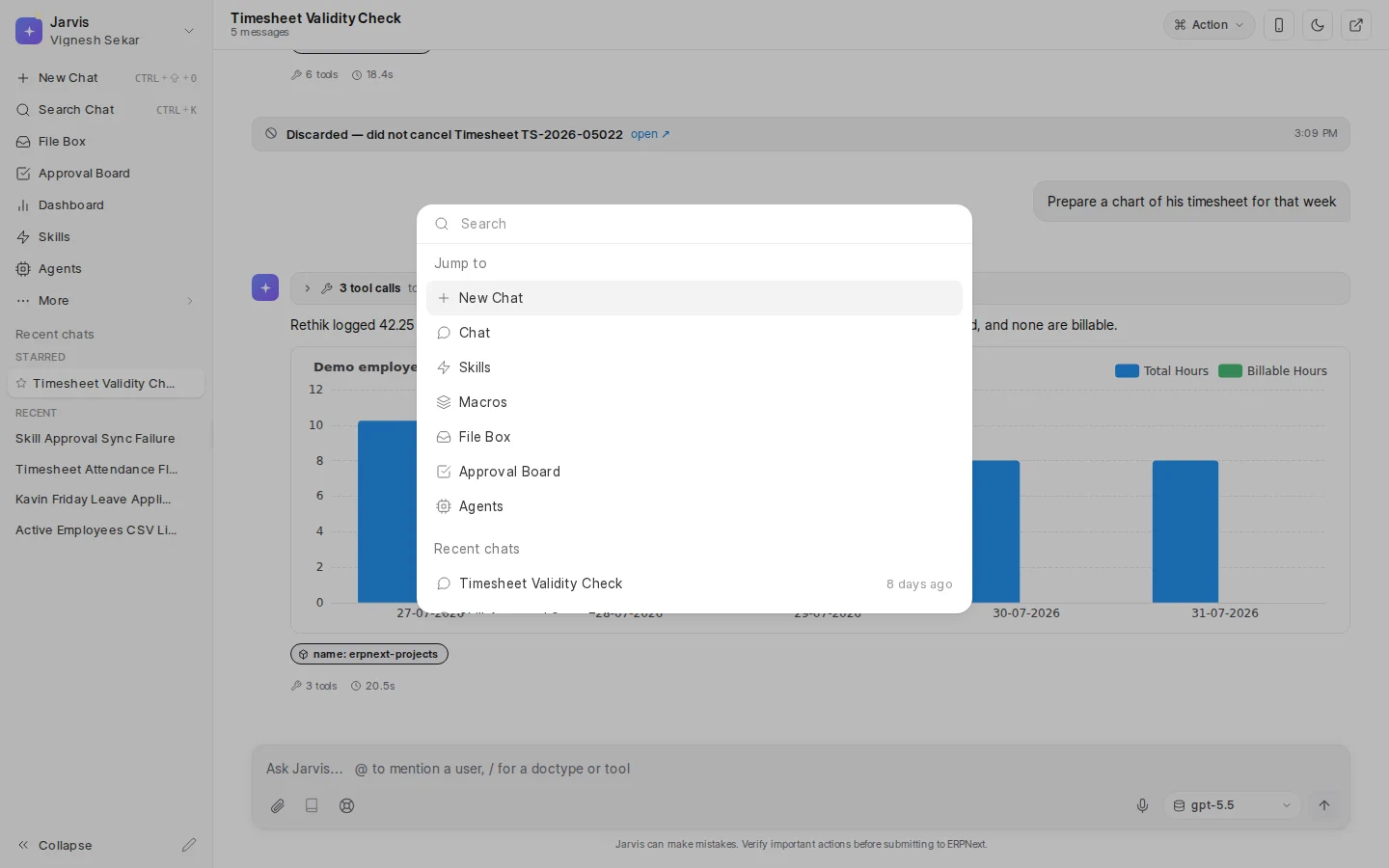
Start and return to work
Choose New Chat for a new outcome. Recent conversations appear in the sidebar. A conversation can show an unread mark while a reply is ready or still arriving.
Use Search Chat or the command palette when a conversation is no longer in the recent list. Search works best when the title names the job, company, or period.
Keep the list useful
- Rename a conversation when its outcome becomes clear.
- Star work you expect to revisit during the week or month.
- Unstar it when the period closes.
- Delete only when the conversation and its messages are no longer needed.
For example, rename “New chat” to “August cash and supplier payments.” Do not keep payroll questions, customer exceptions, and stock planning in the same thread merely because they happened on the same day.
While a reply is running
You can stop a reply that is going in the wrong direction. If another message is waiting behind it, remove the queued message when it no longer makes sense. Retry a failed message only after checking that the request is still safe and relevant.
Copy a useful reply when it belongs in another document. Use Save as macro only when the conversation contains a routine worth repeating.
Delete with care
Deleting a conversation removes its message history. A business record already created elsewhere is not automatically deleted with the chat. Confirm what must be retained before removing evidence of a decision.
One conversation, one outcome. A good title and a narrow thread make later review, search, and support much easier.
Where to go next
Learn how to ask and prepare work in Chat or find work quickly.