Search and shortcuts
Find a chat, dashboard, record, report, or Jarvis area without leaving your flow.
In one sentence
The command palette is the fastest way to move from what you are doing to what you need next.
Open it
Press Cmd+K on a Mac or Ctrl+K on other computers. You can also open Search Chat from the sidebar.
With no search text, the palette shows common Jarvis areas and recent conversations. Start typing to search conversation titles, dashboards, Frappe records, lists, and reports that you are allowed to open.
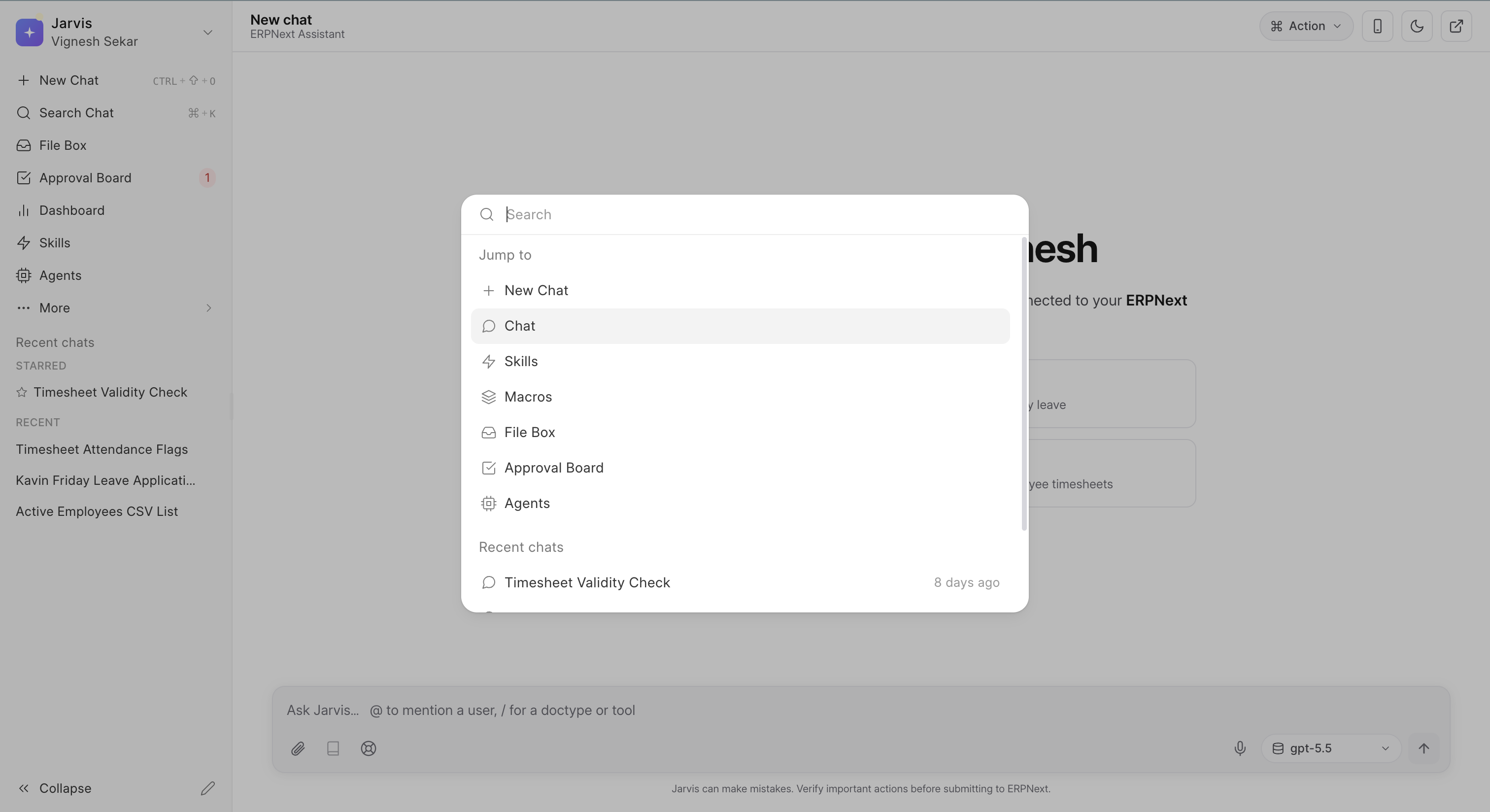
A real example
You are writing a payment reminder in Chat and need to check Sales Invoice ACC-SINV-2026-0042. Open the palette, type part of the invoice number, and open the record in a new tab. Your conversation stays where it was.
Shortcuts worth keeping
Cmd+KorCtrl+K: open search.Ctrl+Shift+O: start a new chat.Ctrl+B: collapse or open the sidebar.
Open Settings > Shortcuts to see the shortcuts available in your workspace.
Search with useful words
Use the words a record or person is likely to contain. An invoice number is stronger than “invoice.” A customer name plus month is stronger than “sales.”
Search only returns what you can access. If a colleague can find a record and you cannot, check your Frappe access before assuming search is broken.
Give important chats a clear subject. “July overdue invoices” is much easier to find later than “New chat.”