Approval Board
Review drafts and answer questions before important work moves forward.
In one sentence
The Approval Board is the inbox for work Jarvis has prepared but a person still needs to decide.
What arrives here
You may see:
- A document prepared from a file or conversation.
- A question Jarvis needs answered before it can continue.
- Work prepared by an Agent running in the background.
- A change that company rules require a person to review.
An unread count shows when something new is waiting. A Waiting for your reply strip separates questions that cannot continue until someone answers.
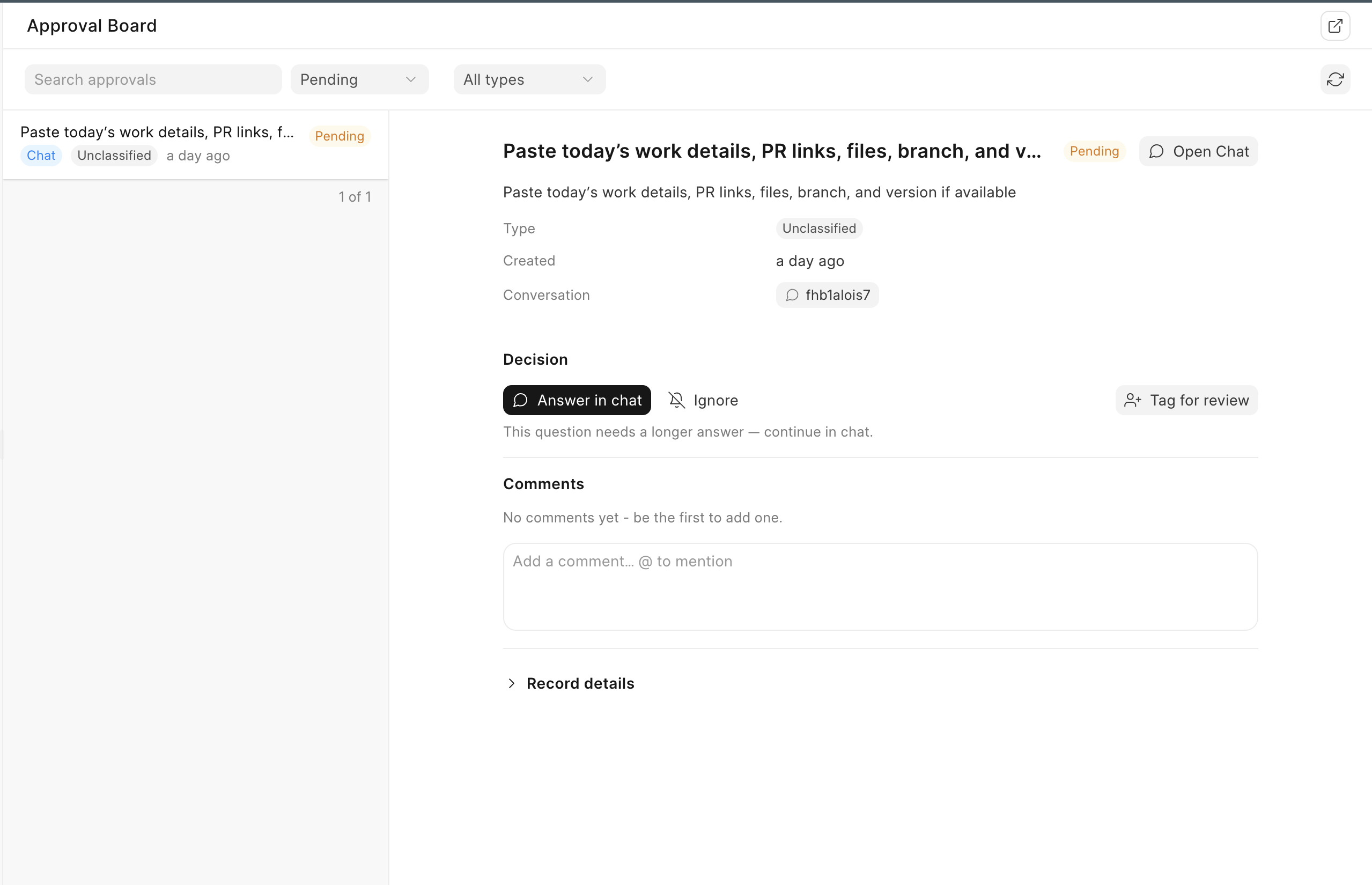
Review one item
- Choose an item from the list on the left.
- Read the details and the reason shown on the right.
- Open the source conversation when you need more context.
- Check the original document or record.
- Approve, reject, answer the question, or use one of the offered answer choices.
Rejecting is useful feedback. Say what is wrong so the next attempt can be better.
Only the owner of an approval or a Jarvis administrator can approve it. Another person can be invited to review, comment, or help answer without receiving the final approval right.
Work together on a decision
Use Tag for review to mark an item that needs special attention. Share it for review when another person needs the context, and use comments with @ mentions to keep the discussion beside the work.
Ignore hides an item without approving or rejecting it. Restore it if the decision is still needed. An answered question remains part of the history so a reviewer can see what allowed the work to continue.
The source badge shows whether work began in Chat or File Box. Use the reference and source-conversation links before approving anything whose reason is unclear.
A real example
Your team adds twelve supplier bills in the morning. Nine are clear. Three need a decision about a missing purchase order, a tax difference, and a duplicate invoice number. The Approval Board gives the reviewer one queue instead of twelve separate chats.
Use filters as the queue grows
Use search, status, document type, quick filters, and the full Filter control to narrow the list. Use Sort and Columns when the queue needs a different reading order or more context. Clear filters before assuming work is missing.
If approval cannot be completed
Do not keep clicking a card that reports a storage or expiry problem. Nothing should change when staging the confirmation fails. Refresh the item once, then prepare the action again from its source conversation. If it happens again, create a Support ticket with the time, action, and affected user.
Review the highest-risk item first, not simply the oldest. Amount, reversibility, and customer impact matter more than queue order.